How to Fix Your Slides: Key Takeaways from Our PPT Rescue Webinar
PowerPoint design tips to turn cluttered slides into clear, professional presentations.
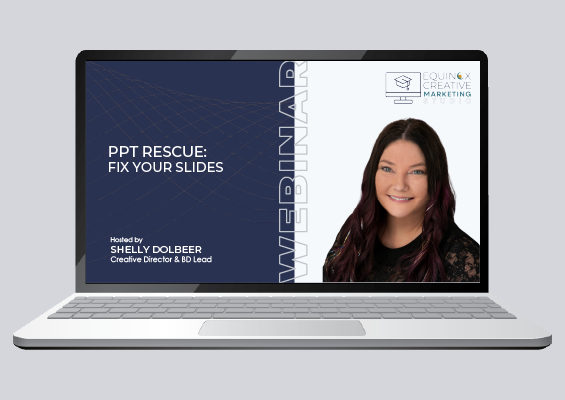
Strong presentations depend on clarity, structure, and intentional design. In our webinar, PPT Rescue: Fix Your Slides, we explored common pitfalls and shared a framework for improving cluttered, text-heavy slides. This article highlights a few key takeaways, but the full session includes deeper guidance, examples, and resources.
The Problem with Most PowerPoint Presentations
PowerPoint presentations are used across every organization, from sales decks and internal updates to proposals and conference presentations.
But over time, many slide decks become cluttered, inconsistent, and difficult to follow. Slides drift off template, formatting breaks, and too much content gets added.
The result? Presentations that technically “work,” but don’t communicate clearly or professionally.
This is especially true for energy program contractors, utilities, and implementation partners who rely on presentations to communicate complex programs, report results, and align multiple stakeholders.
If you’ve ever struggled with messy slides, you’re not alone and you don’t need to start from scratch to fix them.
Why Slide Decks Become Cluttered & Ineffective
In our PPT Rescue: Fix Your Slides webinar, one of the topics we covered was why presentations lose clarity over time.
Common issues include:
- Off-template slides and inconsistent layouts
- Broken formatting and misaligned elements
- Too much text on slides
- Visuals that feel unpolished or inconsistent
For organizations in the energy sector, where presentations often need to translate technical information for different audiences, these issues can create even more confusion.
These problems make presentations harder to read, harder to follow, and less effective overall.
PowerPoint Design Starts with Structure
Before focusing on visuals, it’s important to fix the foundation of your slides.
Strong PowerPoint design relies on consistent layouts, themes, and structure. These elements help maintain alignment, spacing, and accessibility across your entire presentation.
The webinar also highlighted how built-in PowerPoint tools can quickly bring slides back on template and improve consistency without rebuilding your deck.
When your structure is solid, everything else becomes easier.
Presentation Tip: Don’t Put Everything on Your Slides
One of the most important presentation design tips: your slides are not your script.
Instead of filling slides with text, focus on highlighting key ideas and letting your voice carry the message.
In the webinar, we explored how simplifying content leads to clearer, more engaging presentations and helps your audience stay focused on what matters most.
We shared a simple guide to help keep slides concise and easier to follow by limiting how much content appears on each slide.
Use White Space to Improve Slide Design
Cluttered slides overwhelm your audience. Clean slides guide them.
White space, empty space around your content, helps improve readability and makes presentations feel more polished and professional.
If your slides feel crowded, focus on removing what isn’t essential instead of adding more.
Improve Visuals for More Professional Slides
Effective presentation design brings together clear messaging and purposeful visuals.
In the webinar, we covered ways to create more polished slides by improving how images, graphics, and layout elements work together.
Small adjustments to visuals can make a big difference in how professional your presentation looks and feels.
Prepare Your Presentation for Any Screen or System
Even well-designed slides can fall apart if they aren’t optimized for how they’ll be presented.
We discussed how to prepare PowerPoint presentations so they display correctly across platforms, devices, and environments—whether presenting virtually or in person.
These technical considerations are often overlooked, but they’re critical for delivering a seamless presentation experience.
Final Presentation Tips Before You Present
Before delivering your presentation, taking time for a final review can make a significant difference.
The webinar included a practical checklist to help ensure slides are polished, consistent, and presentation-ready—covering both content and technical details.
Better Slides Lead to Better Communication
Stronger slides make your message easier to understand and act on.
For energy program contractors, utilities, and implementation partners, presentations are often used to share results, align stakeholders, and support program delivery.
Clear, well-structured presentations help:
• Keep audiences engaged
• Reinforce key messages
• Build credibility
• Support better decision-making across teams and partners
Our Content Creation services help ensure your presentations and supporting materials work together as a cohesive system.
With the right approach, you can transform cluttered slides into professional presentations that communicate with confidence.
Ready to Rescue Your Slides?
This article covers a few of the presentation design principles we shared in our PPT Rescue: Fix Your Slides webinar.
If you’re presenting program updates, proposals, or results to utilities or partners, these techniques can help you communicate more clearly and confidently.
In the full session, we walk through real examples, live fixes, and step-by-step techniques to improve your slides quickly and effectively.
Register to access the full recording, slide examples and presentation resources.
Looking for more insights like this? Explore our full Marketing Webinar Library for additional sessions and resources across program marketing, content, and strategy.
Need Support Strengthening Your Presentations?
If your team is working with complex content, tight timelines, or high-stakes presentations, we can help bring clarity, structure, and consistency to your slides.
Let’s make your next presentation easier to build and more effective to deliver.